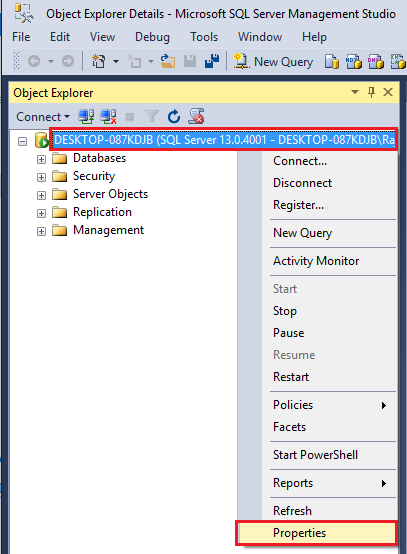
How to create a Link Server with MS SQL 2005/2008/2012/2016 64-bit Using QODBC/QRemoteFor 32-bit Refer: How to create Link Server with MS SQL 2005/2008/2012/2016 32-bit Using QODBC/QRemote Start your "SQL Server Management Studio" Log in to your SQL Server. On the left-hand side panel, you will find the Serve. Right-click on the "SQL Server" and Select Properties.
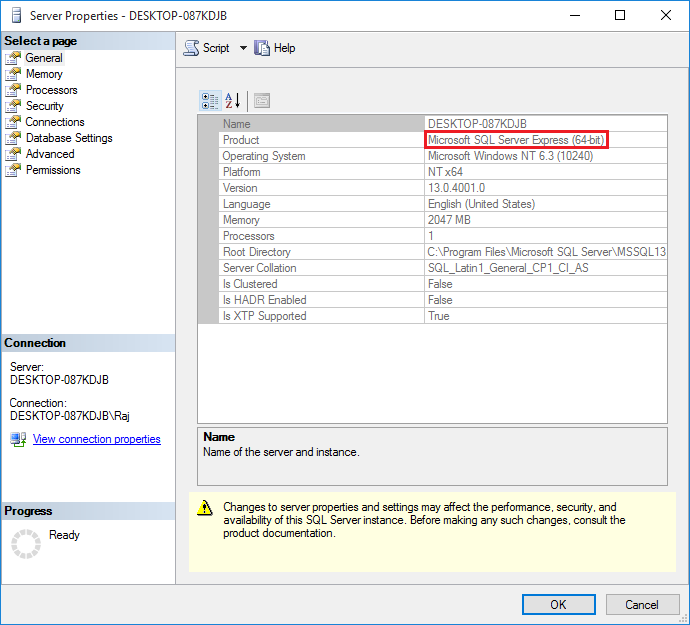
Please Verify that your SQL Server is 64-bit.
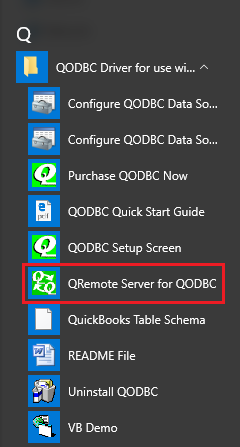
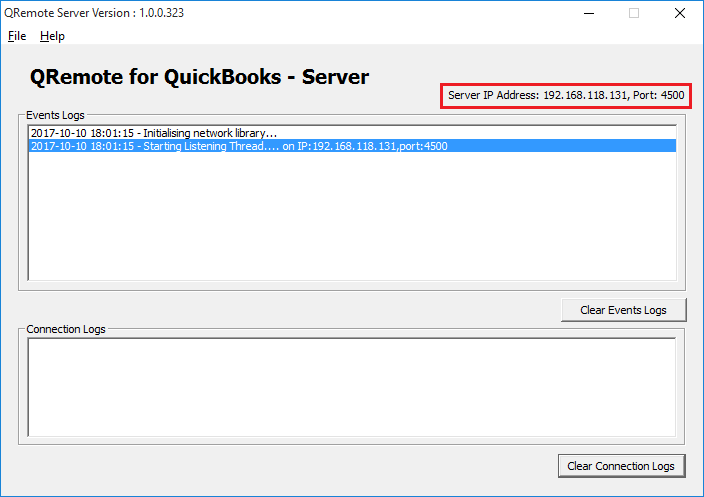
64 and 32-bit words are kept separate in the Microsoft Windows Operating System. QuickBooks 2021 and older versions are 32-bit applications, so a 32-bit ODBC driver is required to communicate with them. QRemote works as a bridge between 64-bit Applications and the 32-bit QODBC Driver by communicating data calls between the two worlds using TCP/IP protocol. QRemote allows 64-bit Web Servers and 64-bit applications to talk to QuickBooks Live for the first time via the QODBC Driver. Since a 64-bit application cannot talk to a 32-bit driver, we have to do a bit of magic to get the worlds to connect. We call it QRemote. QRemote has two components: "QRemote Client Driver for QODBC" and "QRemote Server for QODBC." QRemote Client Driver: Allows service-based applications and 64-bit applications to connect to the QRemote Server and send the request to the QRemote Server for processing. QRemote Server: Processes requested instructions from QRemote Client to QuickBooks using QODBC DSN Driver. Start "QRemote Server for QODBC" from the start menu. ( If QRemoteServer is not running )
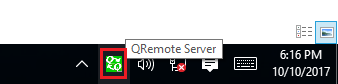
Double-click the QRemote Server icon from the system tray
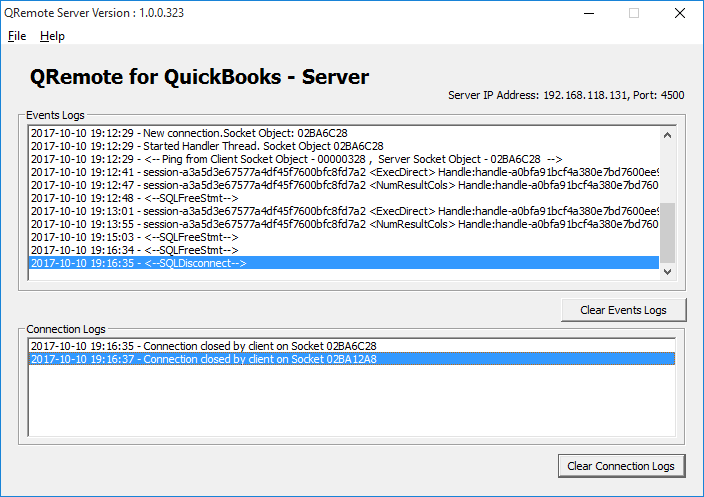
QRemote Server Main screen shows the IP address and port, allowing the QRemote Client to connect.
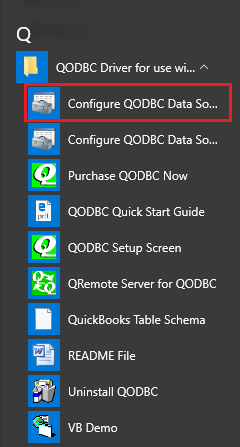
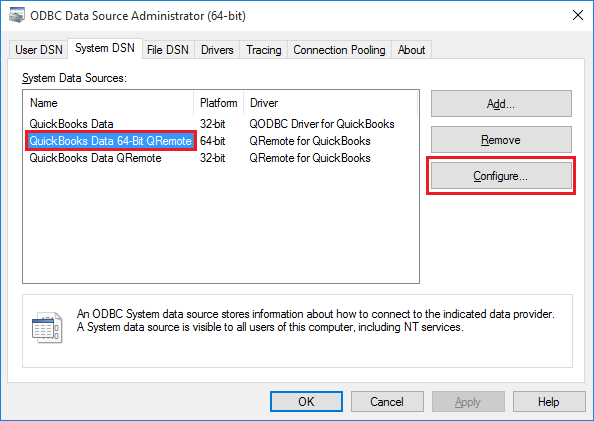
Note the IP address and Port number listed on the QRemote Server "Event Logs " window. Create a new DSN entry/or configure the existing oneNavigate to Start Menu, QODBC Drivers for Use with QuickBooks, and click Configure QODBC Data Source 64-bit
"QuickBooks Data 64-bit QRemote" is the default DSN created when installing QODBC. (Earlier, it was "QRemote Data 64-bit")
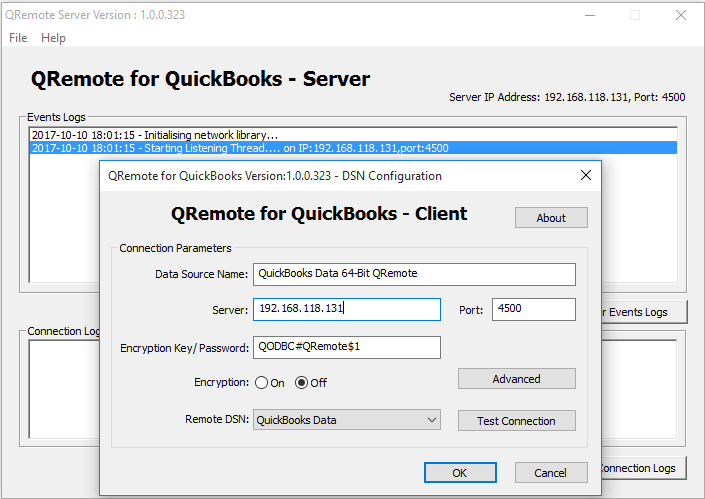
Configure the DSN and provide the IP address and Port as listed under "QRemote Server."
Under the QRemote for QuickBooks – Client DSN configuration screen, please fill in the following information · Data Source Name: Name of your DSN entry · Server: IP address displayed on QRemote Server · Port: Port displayed on QRemote Server · Encryption Key/Password: (By Default, Encryption Key/Password is set to "QODBC#QRemote$1". In case you want to change your Encryption Key/Password, you can configure your encryption key on QRemoteServer and use the same on QRemote Client DSN) · Encryption: (By Default, Encryption is set to Off. In case you want to use encrypted data transfer between QRemote client and QRemoteServer, you can configure encryption on QRemoteServer and use the same on QRemote Client DSN) · Remote DSN: select "QuickBooks Data" DSN from the list. ( Make sure QRemote Server is running) Start Your QuickBooks.
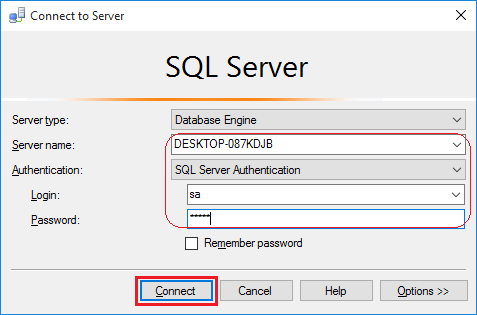
Run MS SQL 2005 Dev / 2008 / 2012 / 2016 (64-bit) and Login Run SQL Server Management Studio. You'd better choose SQL Server Authentication and input the right name and password.
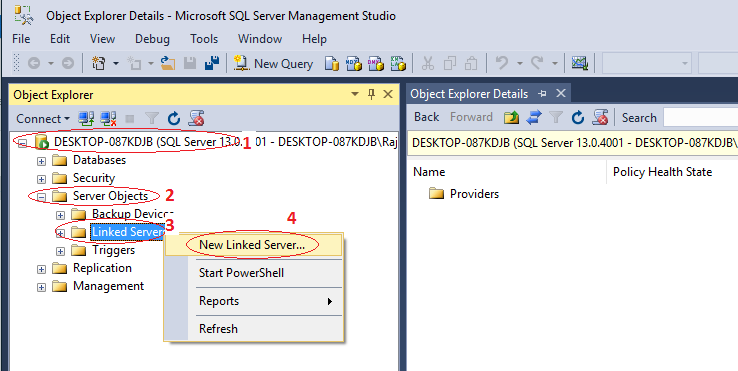
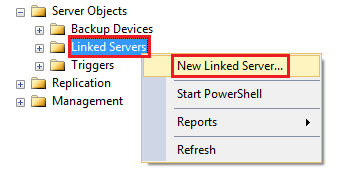
Under SQL Server Management Studio, Navigate to "Server Objects" -> Linked Server -> New Linked Server.
OR
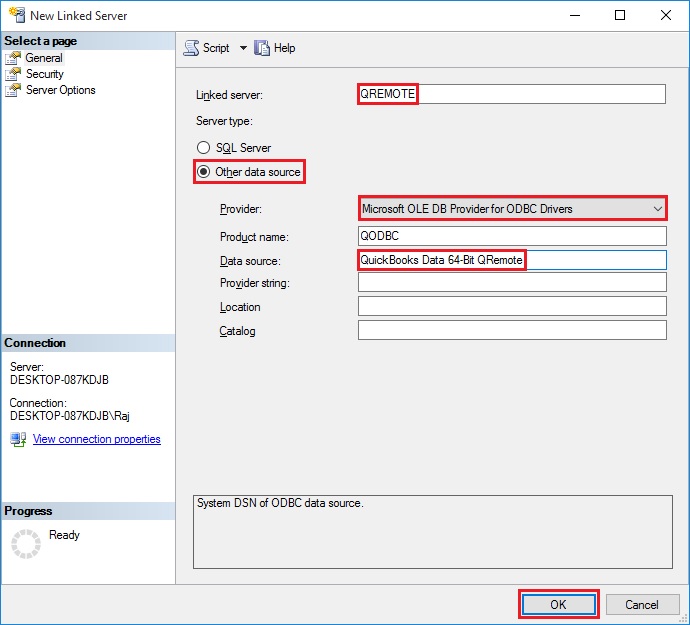
Provide the "New Linked Server" information: Insert your desired Linked Server Name, select the Microsoft OLE DB Provider for ODBC Drivers from the provider list & insert "QODBC" as the Product name & "QuickBooks Data 64-bit QRemote" as the Data Source & click the "OK" button.
QODBC Desktop for QuickBooks Desktop To use QODBC Desktop with Microsoft SQL Server 64-Bit, use "QuickBooks Data 64-Bit QRemote". To use QODBC Desktop with Microsoft SQL Server 32-Bit, use "QuickBooks Data QRemote". QODBC Online for QuickBooks Online To use QODBC Online with Microsoft SQL Server 64-Bit, use "QuickBooks Online 64-Bit". To use QODBC Online with Microsoft SQL Server 32-Bit, use "QuickBooks Online QRemote". QODBC Desktop for QuickBooks POS (Point of Sale) To use QODBC POS with Microsoft SQL Server 64-Bit, use "QuickBooks POS 64-Bit QRemote". To use QODBC POS with Microsoft SQL Server 32-Bit, use "QuickBooks POS QRemote".
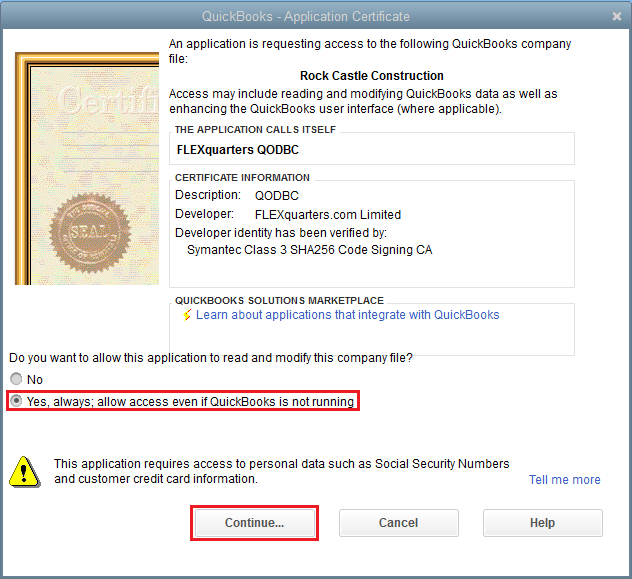
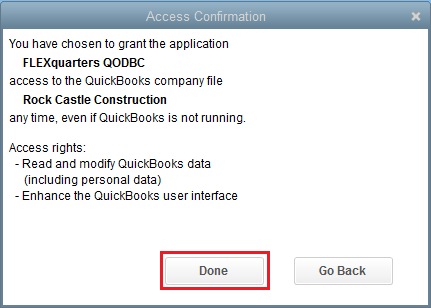
Clicking OK will start establishing a connection to QuickBooks. Please accept the certificate to allow data access to QuickBooks.
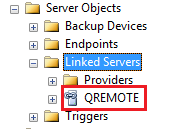
After you have accepted the certificate, the Linked Server will be shown under the "Linked Server" Category.
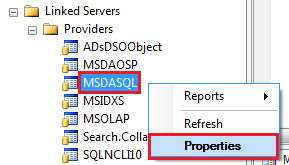
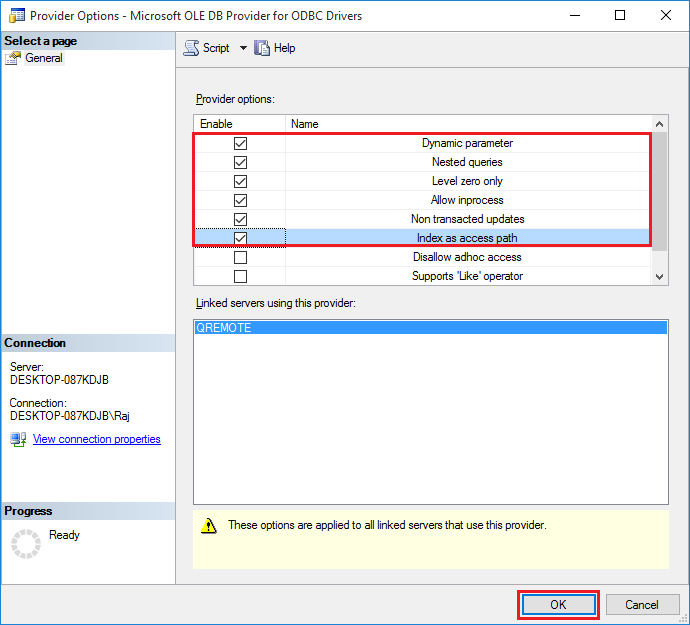
Configure MSDASQL (Microsoft OLE DB Provider for ODBC Drivers) The OLE DB provider options for managing linked queries can be set in SQL Server Management Studio. In Object Explorer, right-click the provider name and select Properties for MSDASQL.
The dynamic parameter should be checked to allow parameter queries. Level zero should only be checked to allow four-part naming to work. Allow InProcess should be checked to help performance. Non-transacted updates should be reviewed if you want to be able to update QuickBooks data. The index as an access path should be checked to help performance. Disallow Adhoc accesses should be unchecked to allow OPENQUERY to function.
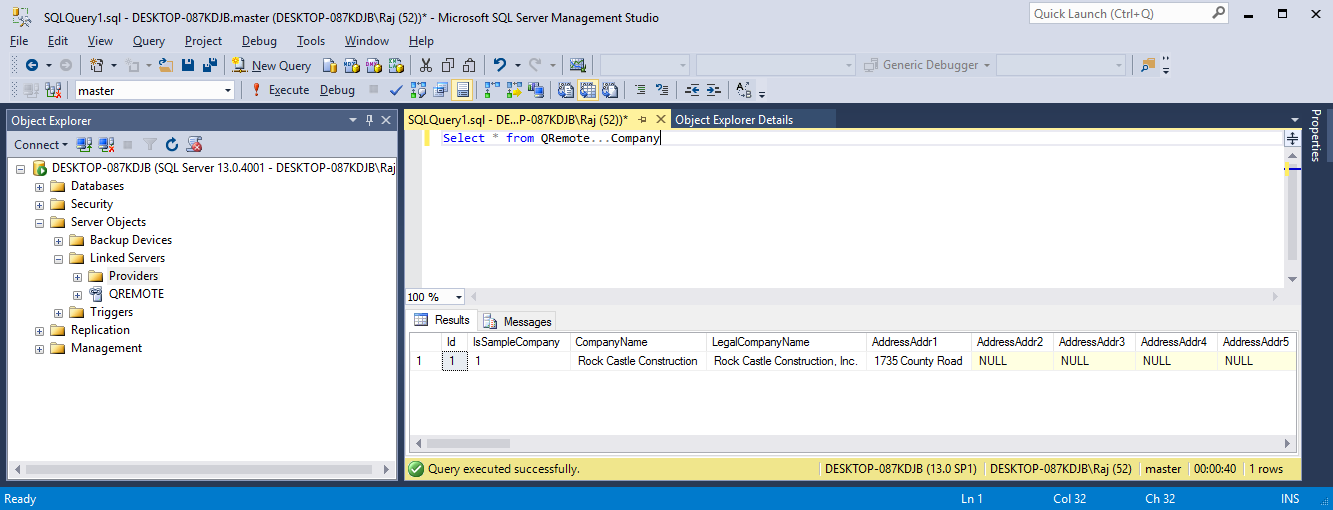
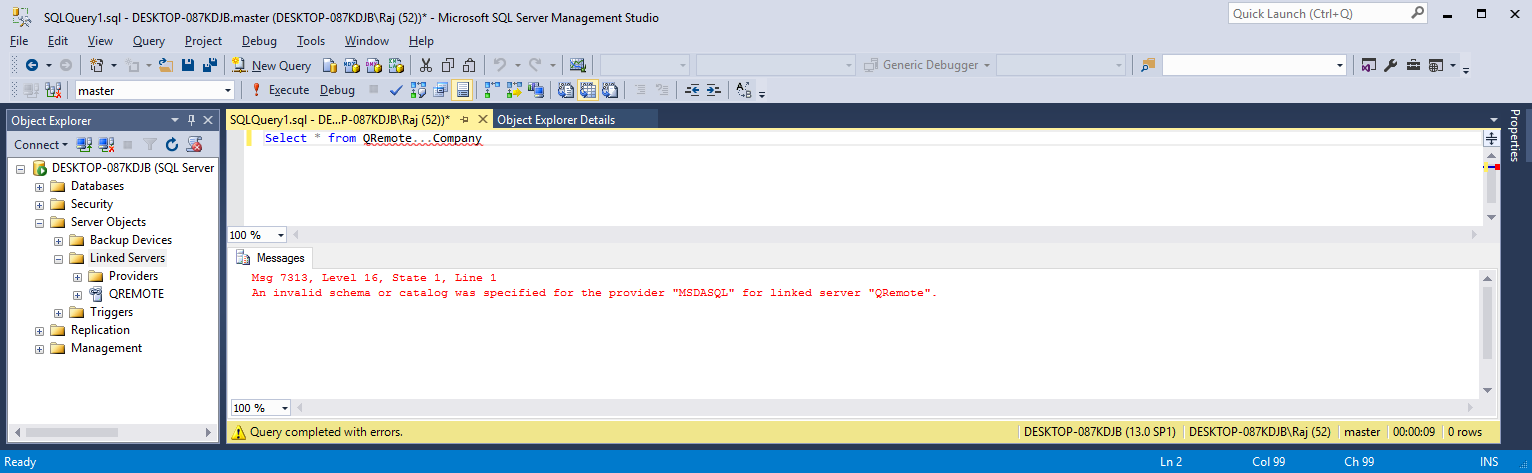
QODBC/QRemote is ready to use with SQL Server/Linked ServerExecute below query Select * from QRemote…Company
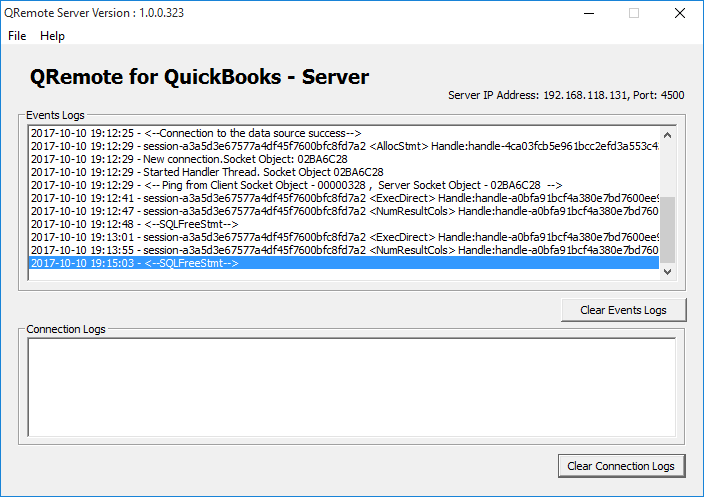
On each query, the QRemote Server logs the events. If you are facing any issues or delays in response, please refer to the QRemote Server Event Logs for details on which stage is taking more time.
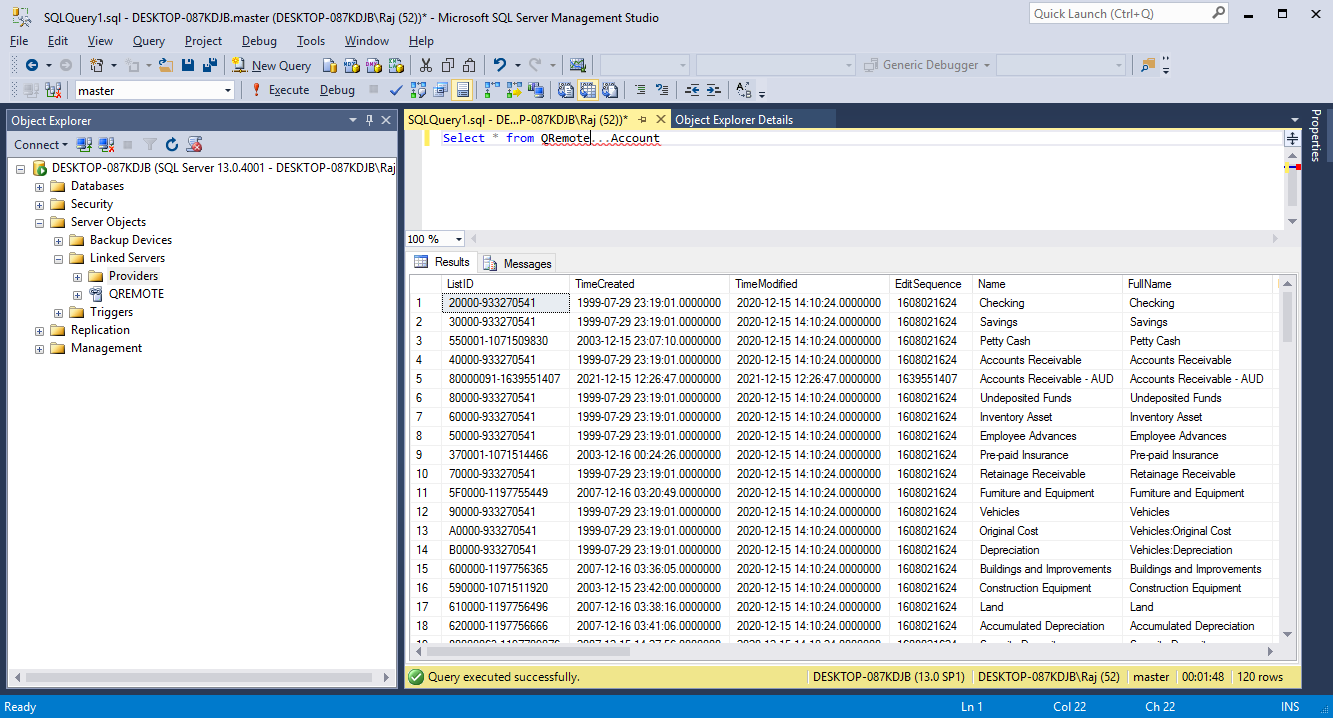
Another Test Select * from QRemote…Account
or
Select * from OpenQuery (QRemote, 'select * from Account')
Note: If your SQL statement contains a WHERE clause, use OpenQuery. When using the OpenQuery 'where' clause, filters will be sent to QODBC, and data retrieval will be faster.
On each query, the QRemote Server logs the events. If you are facing any issues or delays in response, please refer to the QRemote Server Event Logs for details on which stage is taking more time.
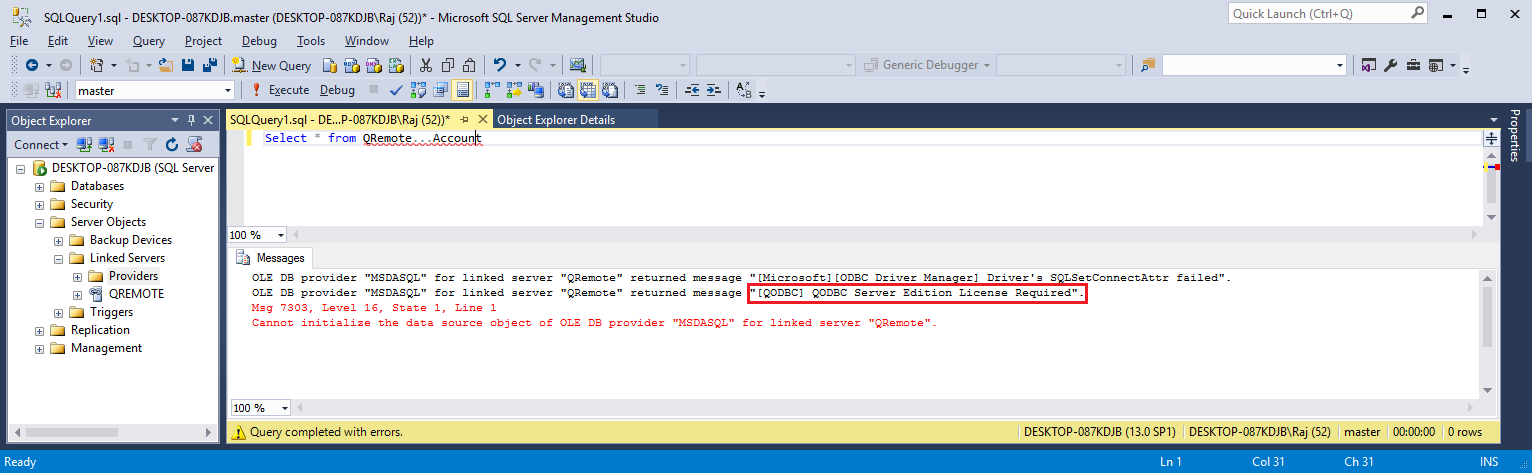
Errors and Solutions"[QODBC] QODBC Server Edition License Required." The QODBC CDKEY License you have activated is not of the Server edition. Please get in touch with our Sales or Support team. http://support.flexquarters.com/esupport/
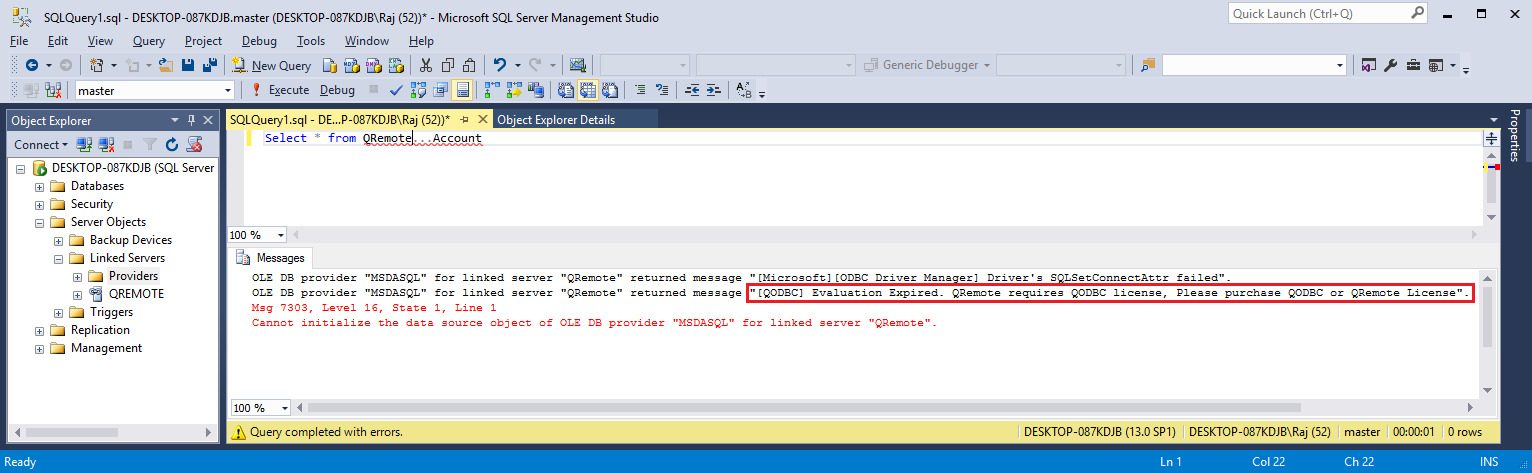
"[QODBC] Evaluation Expired" OR "Evaluation Expired. QRemote requires a QODBC license. Please purchase a QODBC or QRemote license." You have run out of the 30-day trial/evaluation version or are using the QODBC Read-Only Edition for QuickBooks Enterprise. If you still wish to evaluate QODBC, please get in touch with our Sales team.
"QRemote" or "QODBC" contains multiple tables that match the table "TableName." OR An invalid schema or catalog was specified for the provider "MSDASQL" for the linked server "QRemote." This means you have not configured the "MSDASQL" provider. Please refer to the above steps and configure the "MSDASQL" provider.
Problem Description:I have the read-only version included in the enterprise product. I can connect from the VB demo and Excel, but not from the SQL server (I cannot always open Reckon Accounts). All I want to do is export data to the SQL server. I have made the SQL server process log on as the same Windows user as Reckon Accounts and QODBC. I am not running RA, QODBC, or SQL Server as a Windows administrator, and I have UAC turned on. Often, during the query, a box pops up trying to start:
Solution:Please restart your machine & please run Reckon, log in to your company file with Admin user & try to connect using your application. To use DCOM Server & SQL Server with QODBC, you need a QODBC Server Edition license. Please use the QRemote Server instead of the DCOM Server to connect to the SQL Server using QODBC. Please get in touch with your QODBC dealer to purchase the QODBC Server Edition license. For licensing details, please refer to QODBC with QRemote Licensing Information. Please Refer: Using QuickBooks data with MS SQL Server using QODBC Driver and QRemote (Video) QODBC Reports Architecture Mismatch Problem When connecting Keywords: SQL Server 2008 Management Studio, SQL Server 2016 Management Studio, SQL Server 2012 Management Studio, SQL Server Management Studio, SSMS | |